
Cloud backup to Google Drive with QNAP HybridMount and Syncthing
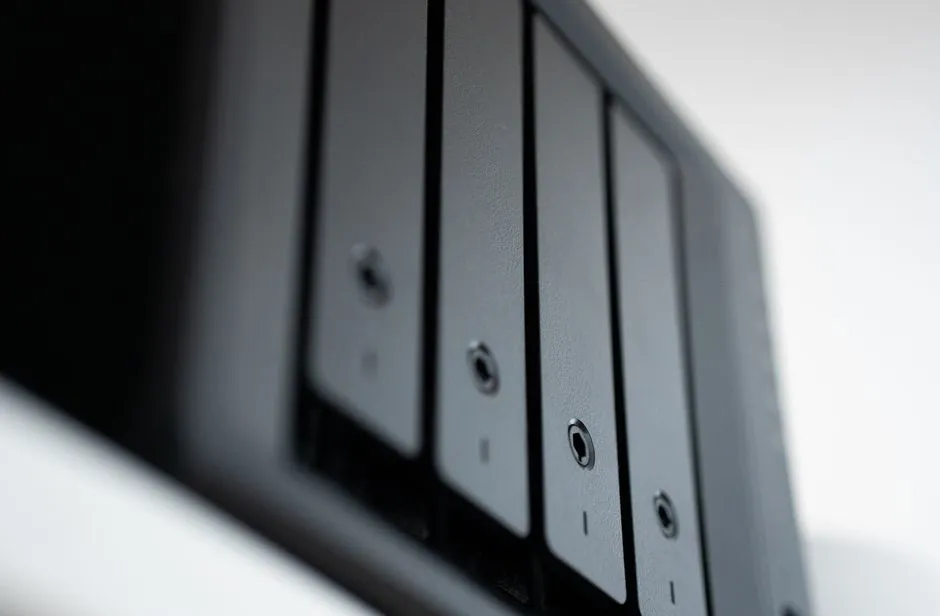
A few weeks ago I wrote about running Syncthing local-only. That setup keeps folders in sync across my machines and lands the data on the NAS, and none of it ever touches the internet. Which is the point, and also the problem: every copy of my data lives in the same house. A power surge, a fire, or a particularly bad day for the NAS takes out all of them at once. I needed an off-site copy.
What I wanted
I had three cloud accounts available: iCloud, Google Drive, and Proton Drive. What I did not want was a single job that shovels everything into one bucket. I wanted the model Syncthing already gives me for local sync: pick a folder, pick a destination. Documents might go one place, music another, and most folders nowhere at all.
The obvious answer was rclone
rclone is the standard tool for this and there is nothing wrong with it. But it would have been a new moving part: new credentials, new config, new schedules, new thing to monitor when it breaks. Meanwhile two pieces I already run covered most of the distance. The QNAP NAS ships HybridMount, which can mount cloud storage on the NAS itself. And Syncthing was already deployed with the folder-based model and the UI I wanted.
If Google Drive could look like just another NAS share, Syncthing could treat cloud backup like any other folder. No new tooling, no new schedules, one familiar interface.
HybridMount: Google Drive as an SMB share
HybridMount is QNAP’s cloud gateway app. In its file cloud gateway mode it mounts a cloud storage account on the NAS, fronts it with a local cache, and exposes it through the NAS’s normal file protocols. I connected my Google Drive account and shared the mount over SMB as google-drive.
From that point the division of labor is clean. The NAS owns the cloud side: authentication, caching, and pushing changes up to Google. Everything else on my network just sees one more SMB share.
Mounting it into the Syncthing container
Syncthing runs as a Docker Compose stack inside a Proxmox LXC container, and it already mounts the NAS backups share for its regular data. Adding Google Drive meant one more CIFS mount in the container’s /etc/fstab:
//nas.internal/google-drive /backups/gdrive cifs credentials=/root/.smb-syncthing-credentials,uid=0,gid=0,iocharset=utf8,vers=3.0,file_mode=0777,dir_mode=0777,rsize=1048576,wsize=1048576,cache=loose,actimeo=60,_netdev,auto,nofail 0 0The options that matter are at the end. _netdev tells the system this mount needs the network, so it does not try to mount before networking is up. nofail means a missing NAS does not block boot. Without those two, a NAS reboot at the wrong moment leaves the container stuck waiting on a share that is not there.
Then the mount gets passed into the container in the compose file:
services:
  syncthing:
    image: lscr.io/linuxserver/syncthing:latest
    network_mode: host
    volumes:
      - ./config:/config
      - /backups/syncthing:/data1
      - /backups/gdrive:/backups/gdrive
One deliberate choice here: the Google Drive mount uses the same path inside the container as outside, /backups/gdrive on both sides. Syncthing stores folder paths in its config as container-side absolute paths, and when the path inside the container does not match what you expect, mistakes are quiet ones. Keeping the path identical on both sides removes a whole category of confusion.
Keeping the mount alive
CIFS mounts to a NAS are not permanent fixtures. The NAS reboots, the network blips, and the mount goes stale. The fix is boring and effective: a oneshot systemd service that checks the mount and remounts if needed, and a timer that runs it every five minutes.
The check script is short. If the mount point answers, exit. If not, lazy-unmount whatever stale state is left and mount it again:
if mountpoint -q "${MOUNT_POINT}"; then
    exit 0
fi

logger -t syncthing-gdrive-mount "Mount not active, attempting to remount"

if mountpoint -q "${MOUNT_POINT}"; then
    umount -l "${MOUNT_POINT}" 2>/dev/null || true
    sleep 2
fi

mount -t cifs "${MOUNT_SOURCE}" "${MOUNT_POINT}" -o "${MOUNT_OPTIONS}"
The timer:
[Timer]
OnBootSec=5min
OnUnitActiveSec=5min
AccuracySec=1min
All of it, packages, credentials file, both mounts, the check scripts, the systemd units, is deployed by the same Ansible role that deploys Syncthing itself. If the container ever gets rebuilt, the whole arrangement comes back with one playbook run.
Using it
With the plumbing in place, cloud backup is now a Syncthing operation. I create a folder in the Syncthing UI pointing at /backups/gdrive/My Drive/some-folder, share it with the device that owns the source data, and that is the entire procedure. Files flow from the device to Syncthing, onto the SMB share, and HybridMount carries them up to Google Drive.
I verified the path end to end before trusting it: the My Drive contents are visible from inside the container, test files written in a subdirectory showed up in Google Drive, and the mount came back on its own after a container restart. The timer shows as active and scheduled in systemctl list-timers.
What happened to iCloud and Proton Drive
The original plan was all three clouds. Two of them did not make it.
iCloud I left alone on purpose. It already backs up the Apple devices, which is the job it is good at, and there is no reasonable way to mount it into a Linux container anyway.
Proton Drive I actually wanted, since end-to-end encryption is a better fit for backups than Google. But there was nothing I could mount or script against: no Linux client, no HybridMount support, no protocol to speak. So Google Drive is the off-site copy for now, and the folders I send there are chosen with that in mind.
Lessons
- Reusing infrastructure beat adding a tool. HybridMount and Syncthing were already running; connecting them needed one SMB share and one mount, not a new backup stack.
- A cloud mount is still a network mount. Plan for it to disappear:
_netdevandnofailin fstab, plus a systemd timer that checks and remounts, turned an occasional manual fix into a non-event. - Keep container paths identical to host paths for mounts like this. Syncthing records container-side paths in its config, and a mismatch fails silently rather than loudly.
- This is sync, not versioned backup. A deletion propagates to Google Drive like any other change. The masters still live on my devices and the NAS; the cloud copy is for the day the house has a problem, not for digging up last month’s version of a file.
- Selective by design. Only folders I deliberately point at the mount go to the cloud, which is exactly the control I was missing.
Related reading
Recovering Syncthing from a truncated config.xml
Syncthing didn't crash, it went unhealthy: the container kept running but couldn't parse its own config. The file had been cut in half by an interrupted write. Here's how I read the symptoms and restored it from Syncthing's own backup.

My local-only Syncthing was still phoning home
I built Syncthing to run entirely on my LAN and even wrote that you should trust the listen addresses, not the checkboxes. Months later my Pi-hole logs caught it resolving the public discovery servers anyway. The checkbox wasn't enough.
Self-hosting file sync with Syncthing, kept local-only
I wanted Dropbox-style file sync across my own devices without putting the files on anyone else's servers, and without announcing my devices to the internet. Here is how I deployed Syncthing on Docker-in-LXC and ran it entirely on my LAN.
Ready to Transform Your Career?
Let's work together to unlock your potential and achieve your professional goals.