
Migrating Pi-hole from a Raspberry Pi to a Proxmox LXC
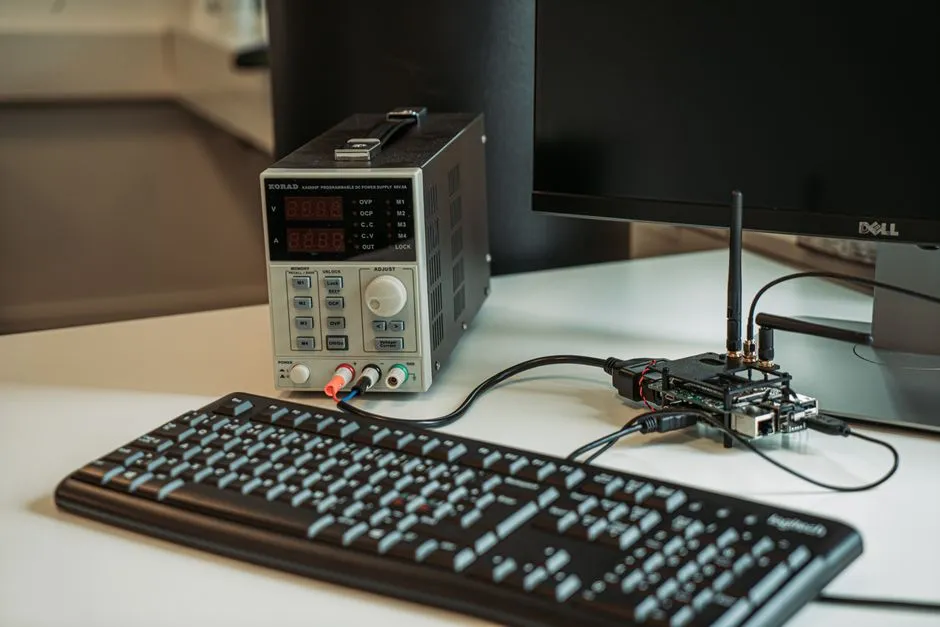
I’ve been running Pi-hole with two Proxmox VE LXC replicas for a while, but the master has always lived on a physical Raspberry Pi 4 - pi2.internal. It worked fine, but it felt out of place next to the rest of the stack, which is containerized. When I was making infrastructure changes anyway, I moved the master into Proxmox and freed the Pi for other work.
The migration itself was mostly following a checklist. The interesting parts came after: a TLS certificate format I had never hit before, and Pi-hole v6’s authentication model breaking the Prometheus exporter.
The setup before migration
Three Pi-hole instances in a master-replica topology, using Nebula-Sync to push config from the master to replicas:
- Master:
pi2.internal- Raspberry Pi 4,192.168.1.12 - Replica 1:
pihole02.internal- Proxmox LXC (VMID 110),192.168.1.13 - Replica 2:
pihole03.internal- QNAP Container Station LXD,192.168.1.14
The plan
Create a new Proxmox LXC container, pihole01, and give it the same IP as pi2.internal (192.168.1.12). Reusing the IP means the pihole.internal DNS alias keeps pointing at the right host without touching records. Configure it as the new master with Nebula-Sync pushing to both replicas. Once verified, stop Pi-hole on pi2.internal and retire the role.
Building pihole01
The Proxmox side was straightforward: create LXC container VMID 116 with hostname pihole01.internal, assign 192.168.1.12. Ansible handled the rest - same playbook that built pihole02.internal, with pihole_master: true in host_vars. It installed Pi-hole v6, Unbound, and Nebula-Sync configured to push from pihole01 to both replicas.
The TLS gotcha
I configured Pi-hole v6’s HTTPS on port 8443 (since 443 is taken by Traefik on the Proxmox host). When the container came up, the web interface wouldn’t start - the service log pointed at a TLS certificate error. Pi-hole v6 expects the certificate file to contain both the certificate chain and the private key in a single PEM file.
cat fullchain.pem privkey.pem > combined.pemCopy that combined file to the path configured in webserver.tls.cert (default /etc/pihole/tls.pem), restart pihole-FTL, and the UI comes up. Not documented prominently, but the error message is clear once you know what you’re looking at.
Pi-hole v6 exporter authentication
This one took longer. Pi-hole v6 replaced the old static API token model with session-based authentication. The web UI password is used to obtain a session ID for API requests. The eko/pihole-exporter follows that same flow.
After the migration, the Prometheus job for pihole01 wasn’t scraping. The exporter was configured the same way as the old setup - port 8080, HTTP, no password - which works against Pi-hole v5 but not v6.
The working configuration for Pi-hole v6:
PIHOLE_HOSTNAME=127.0.0.1(connect directly, not through a reverse proxy)PIHOLE_PORT=8443PIHOLE_PROTOCOL=httpsPIHOLE_API_TOKEN=<web UI password>(different per host: master password for pihole01, replica password for pihole02 and pihole03)
After updating the Ansible role and redeploying, all three exporters came up: 88 metrics from pihole01, 79 from pihole02, 58 from pihole03.
Grafana relabeling
The Grafana dashboard was showing pihole03 twice and pihole01 not at all. The Prometheus scrape job was deriving the instance label from the target address, and two targets were producing the same value due to a misconfiguration. The fix was updating the scrape job to use explicit hostname labels per target (pihole01.internal, pihole02.internal, pihole03.internal) instead of relying on address-derived labels. The dashboard uses instance to split panels per host, so once each target had a distinct label, the duplicate panels disappeared.
Uptime Kuma DNS resolution monitor
After the migration, the Uptime Kuma DNS resolution monitor started failing. The monitor’s upstream DNS was configured incorrectly. The fix was setting it to 127.0.0.1#5335 - Unbound listening on port 5335 on the Pi-hole container itself.
Decommissioning pi2.internal
Once pihole01 was confirmed working - DNS resolving, DHCP serving, Nebula-Sync pushing config, Prometheus scraping all three instances, Grafana showing distinct panels - I stopped Pi-hole on pi2.internal, removed the DHCP static lease, and removed pi2.internal from DNS records. The pi2.internal role got marked as retired in state/inventory.yaml; the physical Pi 4 hardware was reassigned to a different purpose on a different segment.
Nothing else in the stack depended on pi2.internal directly. The IP reuse meant no record changes were needed.
What I learned
- Pi-hole v6’s auth model changes things for any API consumer. Exporters, automation, or monitoring tools written against v5 will fail with confusing errors. Check port (8443 vs 8080), protocol (HTTPS vs HTTP), and password handling. The Nebula-Sync side of this has its own wrinkle - see Nebula-Sync, Pi-hole v6 API keys, and the app_sudo teleporter gotcha.
- Reusing the IP saved real work. Giving the new container the same IP as the old Pi master meant zero DNS record changes. Worth planning for when you can.
- Verify the exporter end-to-end before calling the migration done. I confirmed DNS was working and closed the issue. The exporter failure surfaced the next day when I checked Grafana. A scrape check as part of the migration checklist would have caught it in the same session.
- Grafana label relabeling is easy to get wrong. Default
instancelabels derived from target addresses work until two targets share a pattern. Explicit hostname labels in the Prometheus job are more reliable.
Related reading
Giving every homelab device a readable name in Pi-hole
Pi-hole shows IP addresses when there are no matching DNS records. I audited every static DHCP lease across four VLANs and added an Ansible playbook to keep device names in sync automatically.

Getting Nebula-Sync working with Pi-hole v6: stale passwords and a redirect trap
One of my Pi-hole replicas had zero local DNS records while the master had 78. The trail led through Pi-hole v6 app passwords that did not match my vault, and an HTTP to HTTPS redirect that quietly broke the sync client.

Nebula-Sync, Pi-hole v6 API keys, and the app_sudo teleporter gotcha
After rotating credentials, Nebula-Sync started failing with auth and teleporter errors. The replica needed webserver.api.app_sudo enabled, not just updated API keys in the env file.
Ready to Transform Your Career?
Let's work together to unlock your potential and achieve your professional goals.