
Setting up LACP bonding on my QNAP NAS and MikroTik switch
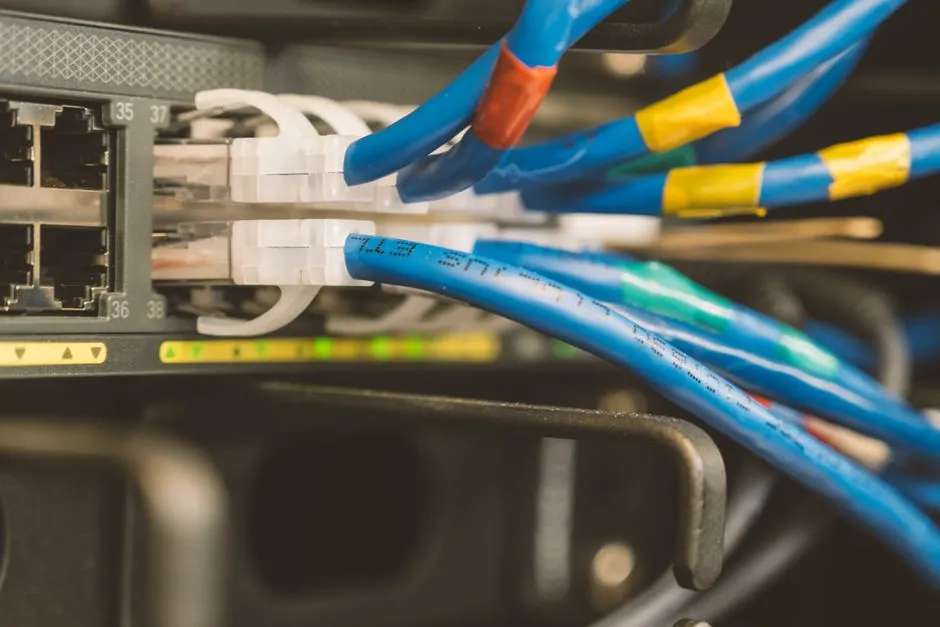
My QNAP TS-h973AX has three network interfaces but only one was connected. Since I set the NAS up, it had been running with a single 2.5GbE cable to the MikroTik CRS326 switch - fine for backups and containers, but with a 10GbE port and a second 2.5GbE sitting idle. LACP bonding would let me use all three for redundancy and better throughput with multiple concurrent clients.
The approach
LACP 802.3ad bonds multiple physical links into one logical interface. The switch and NAS negotiate through LACP, and the switch distributes traffic across the physical ports using a hash policy - in this case, layer 2+3 (MAC plus IP addresses).
The sequence matters: configure the switch side first, then the NAS side. If you reverse it, the NAS starts sending LACP frames to ports that are not in a bond group yet, and you lose connectivity. I had three cables to wire - ether15 and ether16 were the two new runs, and ether20 was the existing NAS connection being absorbed into the bond.
Switch configuration
On the MikroTik, I created a bond-nas bonding interface with the three ports, set LACP 802.3ad mode, layer-2-and-3 transmit hash policy, and 1-second LACP rate. Then I added bond-nas to the bridge with PVID 20 and updated the VLAN table so VLAN 20 treats bond-nas as an untagged port.
The switch-side Ansible playbooks handle this - switch-bridge.yml for the bond and bridge port, switch-vlans.yml for the VLAN table. With the switch config committed and the playbooks updated, the switch side was ready before I touched the NAS.
NAS configuration
In the QNAP web interface under Network & Virtual Switch, I created a new port trunking group with all three NICs - the 10GbE and both 2.5GbE ports. QNAP’s port trunking is just LACP bonding with a friendlier name. I selected 802.3ad mode (the LACP variant that requires switch participation), let the NAS negotiate with the switch, and moved the static IP to the bonded interface once it was up.
Container Station bridge
Containers in QNAP Container Station use a virtual bridge that binds to a specific network interface. After changing the NAS network configuration, that bridge was still pointing at the old individual NIC. Both containers - pihole03.internal (DNS service) and proxmox-qdevice.internal (Proxmox quorum witness) - were unreachable.
The fix is in Container Station’s Network settings: reconfigure the bridge to use the bonded interface instead of the individual one. Both came back up immediately after that.
This step is easy to miss because nothing about the LACP configuration warns you about it. The NAS network looks fine from the outside; only the containers fail, and only because the bridge attachment is separate from the IP configuration.
DHCP static lease
The bonded interface has a different MAC address from any of the three physical NICs. My router has a static DHCP lease for the NAS, so that lease was bound to the old MAC and would not match the bonded interface.
I updated the MAC in router-dhcp.yml, ran the Ansible playbook to apply it to the router, and updated state/network.yaml to reflect the new MAC and bond configuration. With the lease updated, the NAS picked up the correct static IP on the bonded interface.
The ether20 gotcha
Here is what cost me extra time: the Ansible playbook for switch bridge configuration created the bond with ether15 and ether16, but did not include ether20 in the initial bond creation. I had to add ether20 manually on the switch CLI during troubleshooting to get all three ports active.
This matters because ether20 was the previously-connected port - the one already carrying NAS traffic before this project. It was not a new cable; it was being converted from a standalone bridge port to a bond member. The playbook treated it as a normal bridge port rather than a bond member, so it needed manual intervention.
The playbook should be updated to include ether20 in the slaves list on the bonding interface creation. As it stands, re-running the playbook on a fresh switch would create a two-port bond, not three.
Verification
After everything was in place:
- NAS reachable at
nas.internalvia ping and HTTPS - Bond status: all three ports (ether15, ether16, ether20) active
- DHCP lease bound with the bonded interface MAC
pihole03.internal: DNS queries resolving normallyproxmox-qdevice.internal: qdevice operational, providing quorum vote to the Proxmox cluster
The qdevice being reachable was what I checked first. A Proxmox cluster loses quorum without the witness; the containers on the NAS being down for a few minutes was acceptable, but a quorum disruption would have been a problem.
Reflection
The bonding setup is not complicated once you know the moving parts. What surprised me was how many separate systems needed updating when the NAS’s network interface changed.
A few things worth keeping in mind:
- Configure the switch side before touching the NAS, or you lose connectivity while the NAS sends LACP frames into a void.
- Container Station’s virtual bridge is separate from the NAS IP configuration. Reconfiguring the NAS networking is not enough - you have to update the bridge attachment too.
- Static DHCP leases bind to MAC addresses. The bonded interface MAC is different from any individual NIC MAC; update the lease before the NAS boots on the new interface, not after.
- If you fix something manually during troubleshooting, audit the Ansible playbook coverage before calling the work done. The ether20 manual fix was the right call in the moment; leaving it undocumented in the playbook would have been a problem on the next fresh deployment.
Disclosure: This article contains affiliate links. If you purchase through these links, I may earn a commission at no extra cost to you.
Related reading

Auditing static DHCP leases in RouterOS: ten mismatches and four missing devices
What happens when your DHCP config drifts from your network state file. How I found fourteen lease issues in RouterOS and fixed them with Ansible and a device-by-device review.

Automating RouterOS updates with Ansible in the homelab
Why I stopped treating RouterOS and RouterBOARD updates as one-off SSH sessions, and how an Ansible playbook handles backup, package install, reboot waits, and firmware in order.
Trying to load-balance DNS across three Pi-holes (and settling for failover)
One of my three Pi-holes was handling 99.9% of DNS queries while the other two sat idle. The fix I wanted (even load balancing) turned out to be something RouterOS just won't do, and the reason is which firewall chain the queries land in.
Ready to Transform Your Career?
Let's work together to unlock your potential and achieve your professional goals.