
Setting up Stable Diffusion on Apple Silicon with ComfyUI
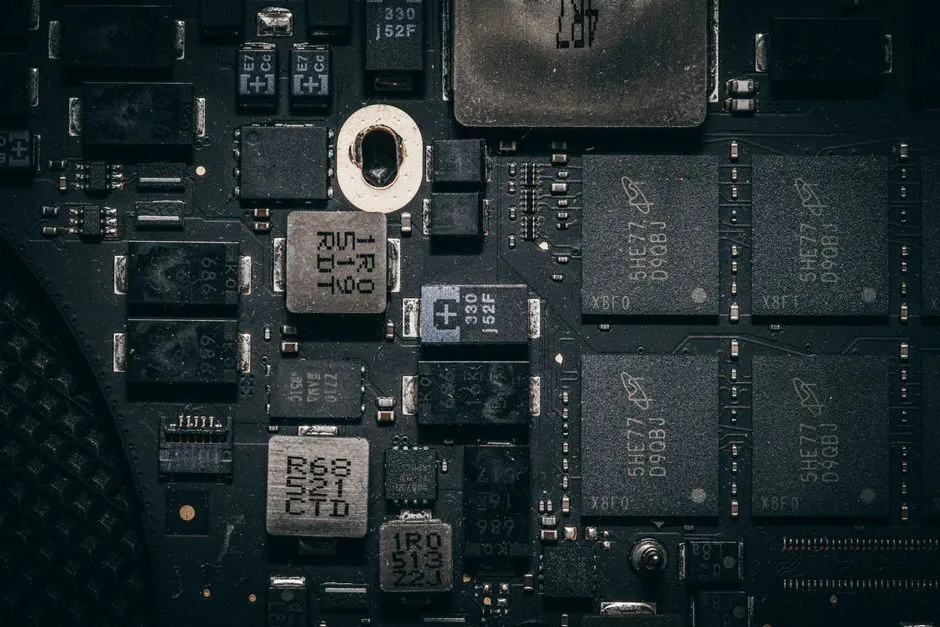
I wanted image generation running on hardware I own instead of a credits balance on someone else’s GPU. The homelab already hosts most of what I use day to day, and a Mac Mini was sitting in the rack with nothing important on it. Stable Diffusion is open, runs locally, and the M1’s GPU can do real work through Metal. So the plan was simple: put Stable Diffusion on the Mac Mini and reach it from the rest of the network.
The machine is an M1 Mac Mini with 8GB of unified memory. That number matters more than anything else in this post, so hold onto it. CPU and GPU share the same 8GB, and image diffusion is hungry.
Picking a UI
There are three obvious ways to run Stable Diffusion locally:
- AUTOMATIC1111: the most popular web UI, packed with features, but heavier on memory and historically fussy on Apple Silicon.
- InvokeAI: polished and beginner-friendly, but it carries more overhead than I wanted on an 8GB box.
- ComfyUI: a node-graph UI where you wire the pipeline yourself. Lower memory footprint, explicit control over each step, and good Metal support.
On 8GB, footprint wins. I picked ComfyUI because it does the least behind my back and uses the least memory doing it. The node graph has a learning curve, but seeing every stage of the pipeline is useful when you’re trying to figure out where the memory is going.
Native macOS, not Docker
My first instinct was to drop it in a container like everything else in the lab. That doesn’t work here. Docker on macOS runs inside a Linux VM, and that VM has no path to the Mac’s Metal GPU. A containerized ComfyUI would fall back to the CPU, and CPU diffusion on this hardware is slow enough to be useless.
So the backend has to run natively on macOS to get the GPU. I kept the whole thing on the Mac Mini for now: ComfyUI’s frontend and backend in one process. If I ever want the UI elsewhere, the frontend could move to a Proxmox VM later while the GPU work stays native. For a single-user lab service, the integrated setup is simpler and there’s no reason to split it yet.
Prerequisites
ComfyUI needs a real Python and a few build tools. macOS ships Python 3.9, but I wanted a clean, managed version, so I used asdf. Build dependencies come from Homebrew.
xcode-select --install
brew install cmake protobuf rust wget

asdf plugin add python
asdf install python 3.11.9
echo "python 3.11.9" > ~/.tool-versions
Installing ComfyUI
Clone the repo, make a virtual environment, install PyTorch and the rest:
git clone https://github.com/comfyanonymous/ComfyUI ~/stable-diffusion/ComfyUI
cd ~/stable-diffusion/ComfyUI

python -m venv venv
source venv/bin/activate

pip install torch torchvision torchaudio
pip install -r requirements.txt
PyTorch ships Metal Performance Shaders support for Apple Silicon by default, so there’s no separate CUDA-style install step. Before going further, I checked that PyTorch actually sees the GPU:
import torch
print(torch.backends.mps.is_available())  # True
print(torch.backends.mps.is_built())      # True
Two Trues means Metal is wired up and PyTorch will run the model on the GPU.
The model
I started with Stable Diffusion 1.5 (v1-5-pruned-emaonly.safetensors, about 4GB), downloaded from Hugging Face into models/checkpoints. I skipped SDXL on purpose. SDXL wants more memory than 8GB can give it without thrashing, and the point of this exercise was to get something usable on the hardware I had, not to watch a progress bar for half an hour.
First run:
python main.py --listen 0.0.0.0 --port 8188Open the UI on port 8188, load the default text-to-image workflow, and generate a 512x512 image. On this Mac Mini that takes about 70 seconds per image. Not fast, but it’s a fanless 8GB machine doing GPU diffusion, and 70 seconds is fine for a personal tool.
When 8GB fights back
The first few images worked. Then generation started dying partway through with a BrokenPipeError. The Python process was running out of memory mid-run and the connection to the worker collapsed.
Two changes fixed it, both aimed at the same 8GB ceiling:
- Switch to the FP16 model.
v1-5-pruned-emaonly-fp16.safetensorsis about 2GB instead of 4GB, half the precision and half the memory, with no quality difference I could see at this resolution. - Add the
--lowvramflag, which tells ComfyUI to offload aggressively instead of holding everything resident.
python main.py --listen 0.0.0.0 --port 8188 --lowvramWith the FP16 model and --lowvram, generation stopped crashing. I watched memory during runs with vm_stat to confirm the system wasn’t sitting on the edge of swap the whole time.
Keeping it running with launchd
macOS doesn’t have systemd. The native equivalent is launchd, driven by a property list in ~/Library/LaunchAgents/. I created local.stable-diffusion.plist to start ComfyUI at login and restart it if it dies. launchd needs absolute paths, so substitute your own home directory:
<?xml version="1.0" encoding="UTF-8"?>
<!DOCTYPE plist PUBLIC "-//Apple//DTD PLIST 1.0//EN" "http://www.apple.com/DTDs/PropertyList-1.0.dtd">
<plist version="1.0">
  <dict>
    <key>Label</key>
    <string>local.stable-diffusion</string>
    <key>ProgramArguments</key>
    <array>
      <string>/Users/you/stable-diffusion/ComfyUI/venv/bin/python</string>
      <string>/Users/you/stable-diffusion/ComfyUI/main.py</string>
      <string>--listen</string>
      <string>0.0.0.0</string>
      <string>--port</string>
      <string>8188</string>
      <string>--lowvram</string>
    </array>
    <key>WorkingDirectory</key>
    <string>/Users/you/stable-diffusion/ComfyUI</string>
    <key>StandardOutPath</key>
    <string>/tmp/stable-diffusion.log</string>
    <key>StandardErrorPath</key>
    <string>/tmp/stable-diffusion.err</string>
    <key>RunAtLoad</key>
    <true/>
    <key>KeepAlive</key>
    <true/>
    <key>ProcessType</key>
    <string>Background</string>
  </dict>
</plist>
Load it once and ComfyUI comes back on its own after a reboot or a crash:
launchctl load ~/Library/LaunchAgents/local.stable-diffusion.plistRunAtLoad starts it immediately, and KeepAlive brings it back if the process exits. Logs land in /tmp so I can check what happened after a restart.
Reaching it from the network
The last step was getting to it without remembering a port. I added a DNS record so stable-diffusion.internal resolves to the Mac Mini, which gives me http://stable-diffusion.internal:8188 on the LAN. For HTTPS I put it behind Traefik, the reverse proxy that already fronts the rest of the lab, so it’s reachable at https://stable-diffusion.example.net with a real certificate.
What I learned
This works, and I generate images on it, but 8GB is the wall everything ran into:
- 8GB of unified memory is the hard limit, and it shapes every other decision. SD 1.5 only, FP16 only,
--lowvramalways. SDXL is effectively off the table at this resolution. If image generation were a serious workload for me, the fix is more RAM, not more tuning. BrokenPipeErrorduring generation is a memory symptom, not a network one. The FP16 model plus--lowvramis what stops it. Watchvm_statwhile you generate to see how close to the edge you are.- Run the GPU work native on macOS. Docker on a Mac can’t reach Metal, so a containerized setup quietly falls back to the CPU and gets unusably slow.
- launchd is the systemd you don’t have. A small plist with
RunAtLoadandKeepAliveis all it takes to make a manually-started Python service behave like a real one. - Verify MPS before you debug anything else. One
torch.backends.mps.is_available()check up front tells you whether you’re on the GPU or silently on the CPU.
For about an afternoon of setup, I have a private image generator on a machine that was otherwise idle. It’s slow and it’s capped by memory, but it’s mine, and it doesn’t bill me per image.
Related reading
Running a local LLM on an 8GB Mac Mini with Ollama
I put Ollama and Open WebUI on the same 8GB M1 Mac Mini that runs my image generation, gave it the Metal GPU, and tuned it to fit. It worked, with one honest catch: 8GB is the ceiling, and that ceiling decides everything.

Researching self-hosted game library consolidation
My games are scattered across Steam, GOG, Epic, Xbox, PlayStation, and a Switch. Before building anything, I went looking for a self-hosted, web-based way to see them all in one place. Here is what I evaluated, why nothing fit, and the custom build I talked myself into.
Self-hosting Backlogia, and fixing it before running it
Backlogia is a self-hosted app that pulls your game libraries from Steam, GOG, Epic and more into one place. Before I would run it I read the code, found four security gaps, and forked it. Then Starlette and a CORS bug had opinions too.
Ready to Transform Your Career?
Let's work together to unlock your potential and achieve your professional goals.