
Why my Home Assistant Generic Camera RTSP feeds stayed blank
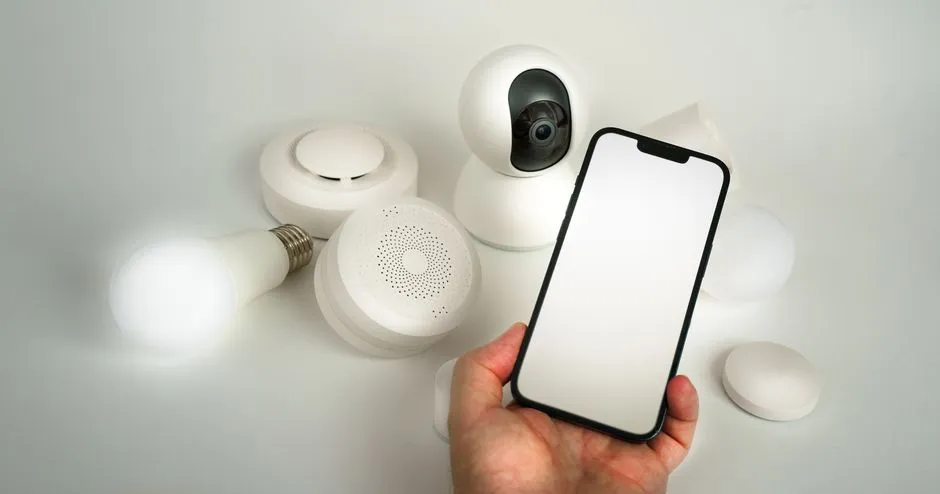
I added three RTSP cameras to Home Assistant using the Generic Camera integration: kitchen, terrace, and stairs. Each one set up without an error. Each one showed up as an entity. And every single one rendered a blank tile in the dashboard.
No error toast, no failed-to-connect banner. Just empty frames where video should be.
The problem
The three cameras came through the config flow cleanly and landed in the entity registry:
camera.kitchencamera.terracecamera.stairs
All three were Generic Camera entities pointed at RTSP streams. The dashboard cards existed, the entities reported a state, but the live view never painted a picture. A camera entity that exists but shows nothing is a frustrating place to start, because there’s no obvious thing to click on.
Investigation
I started from the outside and worked in.
First, was the camera even reachable? All three resolved in DNS and answered a ping:
ping kitchen.security.internalSo the network path was fine. DNS records existed, the hosts were up.
Next, was the RTSP stream actually valid? Home Assistant being blank doesn’t mean the camera is broken, so I pulled the stream directly with ffprobe to take HA out of the equation (the real URL carries the camera’s username and password):
ffprobe rtsp://kitchen.security.internal:554/liveIt connected and reported a valid H.264 video stream. VLC played it too. The cameras were healthy, the URLs were right, the credentials worked. The problem was on the Home Assistant side.
That narrowed it down a lot. The Generic Camera integration happily stores an RTSP URL and creates an entity for it, but live video depends on two other pieces being in place: the Stream integration, which handles the RTSP playback, and FFmpeg, which Generic Camera uses to grab still frames. If either one isn’t pulling its weight, you can end up with exactly what I had: an entity with nothing to render.
I’d trimmed my configuration.yaml down over time, so rather than guess which component was misbehaving, I made both explicit.
The fix
Two lines in configuration.yaml:
ffmpeg:
stream:
Then a restart of Home Assistant to load the new components.
After it came back up, all three tiles rendered live video. Kitchen, terrace, stairs. The entities hadn’t changed at all; the integration just finally had something to play the streams through.
One honest caveat. On a current Home Assistant, the Stream integration is a hard dependency of Generic Camera and loads on its own the moment a camera entity exists, so that stream: line was almost certainly redundant. The piece that actually mattered was FFmpeg, which Generic Camera reaches for to pull frames, plus the clean restart that reloaded everything. I added both lines because ruling the dependency out is cheaper than staring at a blank tile, but if I hit this again I’d add ffmpeg:, restart, and check before touching stream: at all.
Reflection
The annoying part of this one was the silence. A blank tile with no error sends you looking at the camera, the network, the credentials, when the actual gap was a missing dependency inside Home Assistant.
A few things I took away:
- A Generic Camera entity can exist and report state while showing nothing. Existence is not playback.
- On a modern Home Assistant, Stream auto-loads with Generic Camera, so a missing
stream:is rarely the real problem. FFmpeg and a clean restart are the more likely culprits when a live tile stays blank. - Test the stream outside Home Assistant first.
ffprobeor VLC tells you in seconds whether the camera or the consumer is at fault. - When there’s no error message, assume a dependency is missing before you assume something is broken.
Two lines and a restart. The hard part was trusting that the cameras were fine and looking at what was supposed to play them.
Related reading
Fixing unavailable Frigate entities in Home Assistant, and where I stopped fighting live video
The Home Assistant Frigate integration found every camera but every entity showed unavailable. The fix was one disabled setting: MQTT. Getting live video through the integration was a harder problem I chose not to win.

Stabilizing flaky Wyze cameras in Frigate, up to a point
Six of my nine Frigate cameras are rock solid. The three Wyze units on WiFi would not stay connected. Here is what actually helped, what did not, and the honest place it landed, because some of the problem is the cameras themselves.
Researching BirdNET-Pi for backyard bird detection
Before buying any hardware, I researched what it would take to run a self-hosted bird-sound ID service on the homelab: which BirdNET-Pi to use, the hardware it needs, and how it fits a segmented network. Here is the plan I landed on, and why I shelved it.
Ready to Transform Your Career?
Let's work together to unlock your potential and achieve your professional goals.