
Setting up a k3s cluster on Raspberry Pi 4s
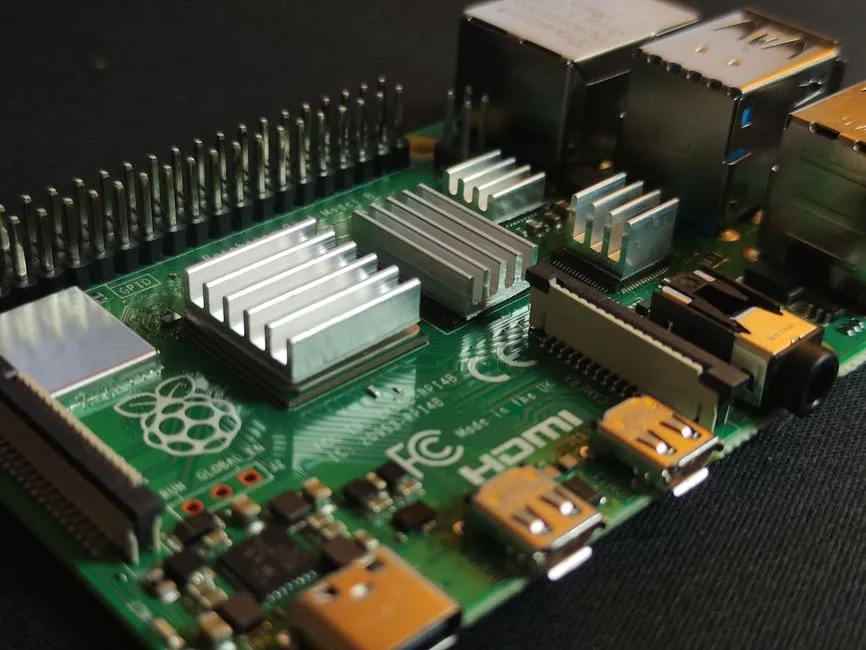
For a while my Raspberry Pi 4s ran some of the most critical services in my homelab: Pi-hole replicas, a Traefik HA pair, Home Assistant. One by one I migrated those to Proxmox LXC containers. More reliable, easier to snapshot, no physical hardware to maintain.
That left four Pi 4s mostly idle. They still pull some duty, but nowhere near their capacity. I’d been wanting to try k3s for a while, and four ARM devices is enough for a real cluster: one control plane and three workers.
Why k3s
Full Kubernetes is heavy on a Raspberry Pi. The control plane alone wants more memory than I’d want to dedicate to it, etcd is disk-intensive, and the install has a lot of moving parts. k3s packages everything into a single binary under 100MB, uses SQLite instead of etcd by default, and has native ARM64 support. The install script is one curl command.
It is not a toy distribution. Rancher Labs (now SUSE) uses it for production edge deployments. For a homelab cluster running utility workloads, it is the right tool.
OS prep
I reimaged all four Pis with Raspberry Pi OS Lite (64-bit, Bookworm). Clean installs, no extras.
The one thing k3s needs that Pi OS does not enable by default: memory and CPU cgroup support. Without it, k3s starts but pods fail to schedule. The error messages mention cgroups, though they are easy to misread as a permission problem.
The fix is adding to /boot/firmware/cmdline.txt (on Bookworm; older Pi OS used /boot/cmdline.txt):
cgroup_enable=cpuset cgroup_memory=1 cgroup_enable=memoryAdd those to the end of the existing single line - do not create a new line - then reboot. After that k3s can manage pod resources normally.
I also set static IPs via DHCP reservations and configured DNS before installing anything. The nodes became k3s01.internal through k3s04.internal. Stable hostnames from the start make the configuration much cleaner.
Installing k3s
The master node:
curl -sfL https://get.k3s.io | sh -k3s installs as a systemd service, starts automatically, and writes a kubeconfig to /etc/rancher/k3s/k3s.yaml. Once it’s up:
kubectl get nodes
cat /var/lib/rancher/k3s/server/node-token
The agent install on each worker takes the master address and token:
curl -sfL https://get.k3s.io | K3S_URL=https://k3s01.internal:6443 K3S_TOKEN=<token> sh -All three workers joined within a couple minutes of each agent install. Four nodes, all Ready.
Rancher
I wanted a proper cluster management UI, and Rancher v2.13.0 fit the bill. It needs cert-manager for TLS, so that goes in first.
Helm on the master:
curl https://raw.githubusercontent.com/helm/helm/main/scripts/get-helm-3 | bashcert-manager:
helm repo add jetstack https://charts.jetstack.io
helm repo update
helm install cert-manager jetstack/cert-manager \
  --namespace cert-manager \
  --create-namespace \
  --set crds.enabled=true
Wait for cert-manager pods to be fully Running before continuing. Rancher’s install webhook will fail if they are not ready - I learned this one the hard way. A quick kubectl wait saves the trouble:
kubectl wait --for=condition=available --timeout=120s \
  deployment/cert-manager \
  deployment/cert-manager-cainjector \
  deployment/cert-manager-webhook \
  -n cert-manager
Then Rancher:
helm repo add rancher-stable https://releases.rancher.com/server-charts/stable
helm repo update
helm install rancher rancher-stable/rancher \
  --namespace cattle-system \
  --create-namespace \
  --set hostname=rancher.example.net \
  --set bootstrapPassword=admin
After a few minutes Rancher was accessible at https://rancher.example.net.
Getting traffic in
k3s ships with Traefik as the built-in ingress controller. My homelab already runs a Traefik instance on separate hardware that handles all incoming traffic. Routing requests to Rancher required a Traefik dynamic configuration file on the external instance that forwards rancher.example.net to the k3s cluster ingress.
Two Traefik hops is redundant, and I know it. Disabling k3s’s built-in Traefik at install time (--disable traefik) would clean this up, but Rancher expects an ingress controller to be present. Keeping both was the fastest path to a working setup.
Ansible automation
Running four Pis through that sequence by hand is fine once. Getting Ansible to do it means I can rebuild the cluster after a re-image without thinking through the steps again.
I wrote two roles: k3s-master handles the master install and captures the node token; k3s-agent installs k3s in agent mode with the master URL and token passed as variables. The token handoff between roles uses set_fact with delegate_to so the agent play can read the token from the master host. Slightly awkward in Ansible, but it avoids a separate token-distribution step.
A single playbook runs master first, then agents. After the playbook finishes, all four nodes are joined and the cluster is ready.
Monitoring
I added Uptime Kuma monitors for each node: port 6443 on the master (k3s API) and port 22 on the workers. If the API on k3s01.internal goes unreachable, something is wrong with k3s itself, not the node.
What I learned
- Enable cgroups before installing k3s. Running the install script first and fixing cgroups after means uninstalling and reinstalling. The error message when you skip this is not obvious.
- Let cert-manager settle. Adding the
kubectl waitstep before the Rancher Helm install would have saved me one failed run. - The bootstrap password is temporary. Rancher forces a password change on first login. The install-time password does not persist.
- Decide on the ingress controller upfront. If you already run Traefik externally, decide before installing whether to disable k3s’s built-in ingress (
--disable traefik) and route directly, or keep both and accept the double-hop. Deciding after the fact is more work.
The cluster has been stable. Four Pis running Kubernetes feels like more infrastructure than the homelab needs right now, but having it around makes it easy to test things that want Kubernetes-native deployment - operators, Helm charts, services that assume a cluster. When the time comes to build out the backup stack I originally planned for this hardware, the foundation is there.
Related reading

Migrating Home Assistant from Raspberry Pi to Proxmox
How I moved Home Assistant off a dedicated Raspberry Pi 4 and onto a Proxmox VM, covering Zigbee USB passthrough, backup restore, ZFS storage migration, and a DHCP lease time gotcha that caused WebSocket disconnects.

Consolidating audiobooks and ebooks into a single Audiobookshelf
I was running two media servers, Audiobookshelf for audiobooks and Kavita for ebooks, when one could do both. Rebuilding the homelab in v3 was the excuse to merge them: one Ansible-deployed Audiobookshelf, local-disk storage, and a USB-drive ZFS scare in the middle of the migration.
Researching BirdNET-Pi for backyard bird detection
Before buying any hardware, I researched what it would take to run a self-hosted bird-sound ID service on the homelab: which BirdNET-Pi to use, the hardware it needs, and how it fits a segmented network. Here is the plan I landed on, and why I shelved it.
Ready to Transform Your Career?
Let's work together to unlock your potential and achieve your professional goals.