
Consolidating homelab dashboards: from Glance and Homepage to Home Assistant
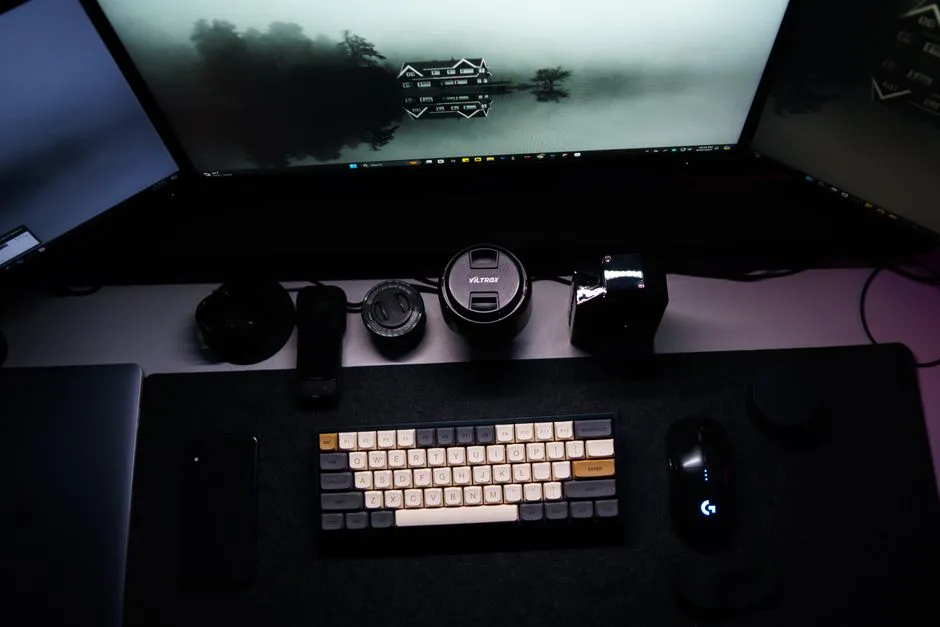
I was running three dashboard services at the same time: Home Assistant for automation and device control, Glance for a daily personal brief, and Homepage for service management - with Homepage embedded inside Glance via an iframe. That last part was the tell. Two separate services, one embedding the other, both running independently.
The obvious question: if Home Assistant was already deployed and had integrations for most of what Glance and Homepage showed, why were Glance and Homepage running at all?
What each one was doing
Glance was my daily brief. Weather and a 7-day forecast, air quality data from the WAQI API, a CalDAV calendar feed from Nextcloud, world clock for a few timezones, sunrise/sunset, moon phase, Pi-hole DNS stats, Proxmox node status, and Uptime Kuma service status. About a dozen widgets in total.
Homepage was a service launcher: 100+ links organized by category (networking, monitoring, media, storage), each with a live status indicator pulled from the service’s health endpoint. It ran embedded inside Glance as an iframe.
Home Assistant was already running integrations for Pi-hole, Proxmox, weather, CalDAV calendar, and most of the homelab sensors. I just wasn’t displaying any of it on a dashboard.
The evaluation
I went through Glance’s feature list and asked what HA could actually cover:
Native HA integrations: weather and forecast, CalDAV calendar, Pi-hole DNS stats, sunrise/sunset (the Sun integration), and clock/timezone sensors. All already configured, just not displayed anywhere.
With HACS or REST sensors: air quality via WAQI REST sensor, moon phase via a REST sensor, Proxmox node and container monitoring via the HACS Proxmox VE integration, Uptime Kuma status via REST sensors polling its status API.
Where HA comes up short: Homepage’s service launcher. HA has button cards and URL cards, but they’re more primitive than Homepage’s categorized grid with live status indicators. You can get similar functionality, but it takes more manual configuration per service.
The rough math: ~90% feature coverage, ~200-400MB RAM freed from removing two Docker containers, and 66% fewer dashboard services to maintain (3 → 1). The case for consolidation held up.
The first attempt: too ambitious
I found Madelena’s hass-config-public - a Metro Live Tile-style Lovelace config with the kind of data visualization I wanted for homelab monitoring: network traffic charts, server resource grids, service status organized in tiles. I decided to adapt it.
The setup: installed the Metrology theme and its CSS assets, added the required HACS cards (auto-entities, card-mod, and several others), deployed the shared UI snippets from Madelena’s config. I built an Overview view (~2,840 lines of YAML) and a Network view adapted for the homelab’s topology. Both passed HA’s configuration check clean.
Then neither rendered correctly. Both /dashboard-victor/overview and /dashboard-victor/network showed only the Network view. The Overview view was being skipped.
I tried removing a stale cached storage dashboard that had been overriding the YAML, fixing duplicate YAML anchors, adding blank lines between view definitions, restarting HA Core repeatedly. The YAML structure was valid. The configuration check passed. The views were both present in the file. HA just wasn’t loading the first one.
The specific failure: when a YAML-mode HA dashboard has multiple views and the first view is very large, HA’s YAML parser appears to silently fail on it and moves to the second view. No error, no log warning - just the wrong view. This isn’t documented and the configuration check doesn’t surface it.
After enough debugging sessions without progress, I scrapped the approach.
What actually worked: smaller
The failed attempt forced a useful question: what was I actually trying to accomplish? The goal was to stop running Glance and Homepage - not to build an impressive dashboard.
Once I separated those two things, the path was obvious:
HA already displayed weather, Pi-hole stats, calendar events, and service status on the default dashboard with the right integrations configured. The Proxmox VE HACS integration gave container and node monitoring without a custom visualization. For service links, I realized I rarely used Homepage as a launcher once everything had a proper domain name via Traefik - I already knew where things were.
Air quality and moon phase didn’t make the cut. They were Glance features I had because Glance had them, not because I checked them daily.
A simple HA dashboard with a handful of cards - system status, weather, calendar, a few sensor groups - covered what I actually used. Not everything Glance had. Everything I needed.
Glance and Homepage got decommissioned. Two Docker containers removed. ~300MB RAM freed. One fewer Docker Compose file, one fewer service to update when versions changed.
Lessons
Feature parity is the wrong goal. I went into this asking “can HA do everything Glance does?” The better question was “what do I actually open this dashboard to see?” The answer was a much shorter list, and HA handled all of it. Some Glance features I hadn’t consciously noticed I’d stopped using.
Start minimal, prove multi-view works first. A 2,840-line Lovelace view that passes the configuration check can still fail to load silently. HA’s YAML dashboard parser has failure modes that don’t surface as errors or warnings. If I’d started with a two-view dashboard containing placeholder cards and added complexity from there, I would have caught the multi-view behavior before investing hours in the full config.
The iframe was a signal. Homepage ran inside Glance via an iframe. When one service exists primarily as a panel inside another, that’s a sign one of them shouldn’t exist at all.
Decommissioning is the win, not the migration. Running fewer services is the outcome that matters. The exact card layout is secondary. I got caught up in replicating Glance’s aesthetic in HA when I should have asked what the minimum viable replacement was.
Related reading

Researching Homelab Dashboard Solutions and Choosing Dashy
The process of evaluating self-hosted homepage solutions for a homelab, what I learned about the options, and why I chose Dashy for a centralized service dashboard.
Glance calendar widget timeouts: too much data, not a timeout config
My Glance dashboard's upcoming events widget kept timing out. The fix wasn't changing the timeout - the ical-events service was trying to parse 10 years of calendar data on every request.

Researching BirdNET-Pi for backyard bird detection
Before buying any hardware, I researched what it would take to run a self-hosted bird-sound ID service on the homelab: which BirdNET-Pi to use, the hardware it needs, and how it fits a segmented network. Here is the plan I landed on, and why I shelved it.
Ready to Transform Your Career?
Let's work together to unlock your potential and achieve your professional goals.